

 Português (Brasil)
 Español
 Français
 Deutsch
 Italiano
 Nederlands
 Svenska
 Srpski (latinica)
 日本語
 한국어
 简体中文
 हिन्दी
 Bahasa Indonesia
 Bahasa Melayu
 العربية
 עברית
Minecraft 26.4: what changes in the winter drop and on the server
Minecraft 26.4 brings Ice Caverns, the Frostbite zombie and dragon fixes. See what changes in snapshots, in Bedrock 26.70 and on your server.
· 6 min read
Minecraft 26.4: what changes in the winter drop and on the server
If you've been playing Minecraft in recent weeks, you've probably already seen changelog after changelog. The last 2026 drop is in the final testing phase: Mojang has already locked the gameplay features and is now only fixing bugs before release. In this summary, what actually came out in the Java snapshots, in the Bedrock previews, and what that changes for anyone running a server with friends.
The winter drop: Java 26.4, Bedrock 26.70
The fourth game drop of 2026 was announced at September's Minecraft Live and is all about ice. In Java it ships as 26.4; in Bedrock, the same content arrives numbered as 26.70. Mojang still has not confirmed the release date — what is known is that, since Snapshot 7 (November 3), no new features are being added, only fixes and polish. In other words: release is near, but with no official date announced so far.
The testing calendar so far:
- October 13 — Snapshot 4: Brittle Ice
- October 20 — Snapshot 5: Packed Ice Bricks
- October 27 — Snapshot 6: Snow Bricks
- November 3 — Snapshot 7: full calcite family, "Flurry" disc, and keyboard navigation
- November 10 — Snapshot 8: fixes (dragon, freezing, languages)
Ice Caverns: the new underground biome
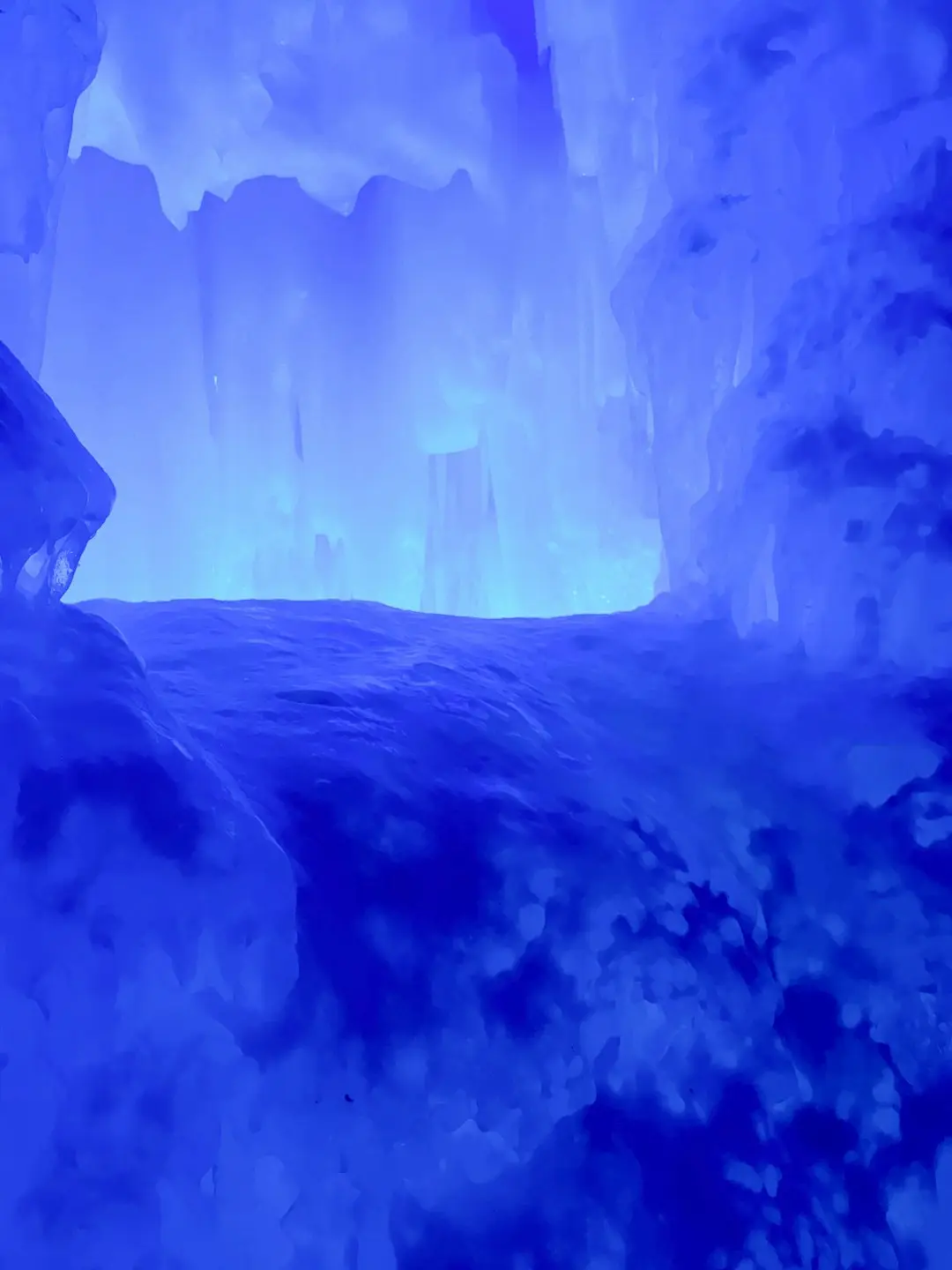
It is the biggest addition of the drop and the first truly new cave biome since the Deep Dark. Ice Caverns are located underground in cold regions — frozen oceans, snowy plains, snowy taigas, and ice peaks — and are made basically of packed ice and calcite.
What you find inside:
- Enormous ice pillars and glowing ice crystals scattered across the walls
- Ceiling icicles that fall and hurt anyone passing underneath
- Brittle Ice covering water-filled cracks: it cracks and breaks when you step on it
- Ores in stone pockets inside the ice walls
- Structures generating normally, including abandoned mineshafts, fortresses, and trial chambers
How to find an Ice Cavern
The surest route is to go to a cold biome and dig down to the packed ice layer. If you want to save time, use the locator in chat (press Tab to autocomplete the biome ID in the game and confirm the correct name):
/locate biome minecraft:ice_cavesThen just follow the returned coordinates. Keep in mind that, on a server, the biome only appears in chunks generated after the update — old terrain does not turn into an Ice Cavern.
Frostbite, the ice zombie, and the Freezing effect
The Frostbite is the frozen variant of the zombie: a little more health than a regular zombie, an attack that applies the Freezing effect and, sometimes, an ice ball in hand to attack from a distance. It appears in cold areas and in Ice Caverns, with a frequency similar to that of normal zombies.
Two changes in Snapshot 8 directly affected this balance:
- Every undead mob is now immune to Freezing — skeleton, zombie, drowned, and the rest no longer get the effect, not even as an active effect.
- Ice ball damage has been reduced, which makes Frostbite less punishing at a distance.
For anyone with a mob farm on the server, this is relevant: the Freezing effect will no longer interfere with the mobs you already use in automated systems.
New blocks: calcite, ice, and snow
The building side is well served in this drop:
- Calcite got a full family: pillars, slabs, stairs, walls, polished calcite, and polished calcite bricks
- Packed Ice Bricks and Snow Bricks for themed builds
- Brittle Ice, which works as a natural trap
- Music disc "Flurry", by Hyper Potions, found in igloo basement chests
- And an easter egg: the Chiseled Soulshale, a block that does not appear in the changelog, found in the chests of Ancient Cities, with the face of the Singer from Dungeons. The community is already speculating that it is a hint at the next dimension.
Snapshot 8: the dragon can fly properly again
Snapshot 8 (November 10) is the most discussed one of recent weeks — and not because of a new feature, but because it fixes the fight against the Ender Dragon. According to Mojang, the dragon "forgot how to fly," and the changelog fixes several behavior problems:
- It no longer dives toward the player incorrectly
- No longer dives into the exit portal improperly
- Adjustments to the fight in general, including effects related to freezing
- Fix for fall damage returning to minecarts when minecart experimentation is off
- Two new languages: Javanese and Chavacano (Zamboanga)
Some of these dragon bugs have been in the game for years — community coverage mentions issues dating back to 1.9. For speedrunners or Ender farmers, it's a real behavior change, not just cosmetic.
Heads up, server owner: Snapshot 8 also bumped the data pack format to 127.0, with stricter validation. Data packs and some tools may need adjustment.
Bedrock: invisible armor, mouse on Switch 2, and hotfix 26.63
On Bedrock, preview 26.70.24 (November 10) brought two things people had been asking for:
- "Invisible Armor" world setting: an eye button that hides the armor you're wearing without losing the attributes. Great for roleplay servers, events, and skin contests.
- Mouse mode with Joy-Con on Nintendo Switch 2, making controls more precise in menus and inventory.
Meanwhile, hotfix 26.63 (November 11) was for Windows, dedicated servers, and PlayStation 5 and fixed two annoying issues: the loading screen getting stuck at 73% and a failure on first connection that prevented some multiplayer features from working properly. If your Bedrock server had players joining and dropping, it's worth updating.
What changes for server owners
This is where most people get burned: updating on day one, without a backup, and then discovering a plugin broke. Do it in this order.
1. Wait for your loader's build
The drop is in snapshot. If your server runs Paper, Spigot, Fabric, or Forge, the stable loader version for 26.4 doesn't exist yet — it arrives after the official release. Don't put a snapshot on your community server.
2. Test on a separate server
Have a lab world, separate from the main world. If you just want to validate the behavior of Ice Caves and Frostbite with friends, you can spin up a separate server on Mine Hour without touching the community world — the server starts in less than a minute and time only runs while people are online.
3. Back up before anything else
This step is not optional. Before switching versions, turn off autosave, force a save, and copy the world:
/save-off
/save-all flush
/save-on
After copying the world folder, proceed with the update.
4. Adjust the server.properties
New versions usually come with more things happening at the same time. If the server is modest, hold back the render distance:
level-name=world
view-distance=8
simulation-distance=6
max-players=10
Raising view-distance to 12+ on a small machine is the classic recipe for TPS dropping when someone enters an Ice Cave full of crystals and mobs.
5. Review plugins, mods, and data packs
Check compatibility before announcing the update in the group. With the data pack format at 127.0 and changes to freezing, items, and minecarts, what worked in 26.3 may error out. Update everything, or temporarily remove whatever doesn't have a new version.
Is it worth migrating now?
For playing alone or with friends in a small world: if you like testing, snapshots are free and reversible — as long as it's on a copy of the world. For a community with plugins, a shop, land protection, and an economy: wait for the stable release and your loader's build, even if that takes a few weeks. Getting the Ice Cave isn't worth losing a week of progress to world corruption.
So, have you tested the winter drop yet? If you're going to set up the test server, start with a backup and a separate world — the rest is adventure.
Sources
- Minecraft 26.4 Snapshot 8 | Minecraft
- Minecraft 26.4 Snapshot 8 fixes Ender Dragon flight, adds languages
- Minecraft 26.4 Snapshot 8: Ender Dragon flight fixed, undead immune to Freezing
- Minecraft 26.4 Snapshot 7 Adds Calcite Blocks, Flurry Music Disc, and More | Beebom
- How to find Ice Caves in Minecraft (winter 2026)
- Ice Caves and the Frostbite zombie: what is already known about the latest 2026 drop
- Minecraft Bedrock Preview 26.70.24 Adds Invisible Armour and Switch 2 Mouse Mode
- Minecraft: Bedrock Edition 26.63 Hotfix Changelog
More posts
 How to import a world to the Minecraft serverStep by step to move the single-player world (or another host's) to the server: correct folders, level-name, 26.1 changes and common mistakes.
 How to install plugins on a Minecraft server (Paper)Step-by-step guide to installing plugins on your Paper server: where to download them, how to check whether they loaded, which ones are worth getting first, and how to fix the most common errors.
 How to configure a Minecraft server: administration guideserver.properties, whitelist, operators, gamerules, backups and version switching: the practical guide to administering your Minecraft server without breaking the world.
 Building and survival games to play with friendsSeven building and survival games to play with friends: what each one does best, how many players they support, and how to keep the world online without depending on the host.