

 Português (Brasil)
 Español
 Français
 Deutsch
 Italiano
 Nederlands
 Svenska
 Srpski (latinica)
 日本語
 한국어
 简体中文
 हिन्दी
 Bahasa Indonesia
 Bahasa Melayu
 العربية
 עברית
Maps, seeds and datapacks on the Minecraft server
Learn how to install adventure maps, parkour and minigames, apply seeds and enable datapacks on the Minecraft Java 26.3 server, with steps and commands.
· 7 min read
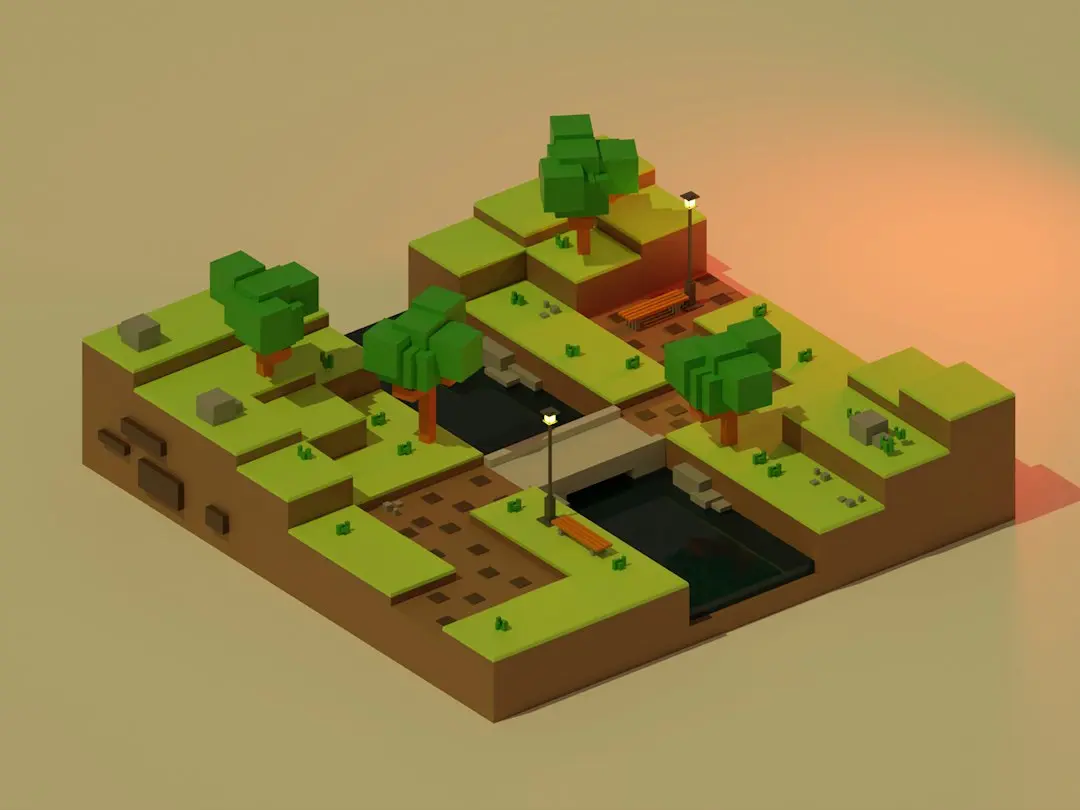
Maps, seeds, and datapacks on the Minecraft server
There's a server sitting idle waiting for people to show up. Then someone sends to the group: "let's play a parkour map?" and the usual confusion begins — who downloads what, where to put the file, why the map won't open, why the datapack doesn't show up in the list.
The good news is that all of this is solved with three folders and half a dozen commands. In this guide you'll see how to install adventure maps, parkour maps, and minigames, how to choose and apply seeds without losing the world that already exists, and how to enable datapacks on the server. The version references are from Minecraft Java Edition 26.3 ("Wilderness Bound"), the current release of the Java edition, which requires Java 25 on the server machine. 26.4 ("Deep Freeze") is in snapshots — great for testing, not recommended at all for the group's server.
First of all: map, datapack, and mod are not the same thing
Mixing up the three is the reason behind 90% of the questions. Keep this distinction:
- Map is a ready-made world: a folder with
level.datinside. It can be adventure, parkour, puzzle, minigame, skyblock. You swap the world that the server loads. - Datapack is a
.zip(or folder) withpack.mcmetaand adata/folder. It runs on the server, without anyone installing anything, and changes recipes, loot, advancements, world generation, and command functions. - Mod requires a loader (Fabric, Forge, NeoForge) and, often, installation on each player's client. Plugin is for Paper/Spigot and stays only on the server.
If the goal is just to play a map with friends, you don't need any mod. Map + datapack already solves a lot.
How to install an adventure map, parkour map, or minigame
The process is the same for any map. Only what you do after entering the world changes.
1. Check the map version before downloading
A map made for 26.3 won't open on a 26.2 server, and a world opened in a newer version won't go back to an older version. If the map is for 1.21.x, the safest option is to set up a separate server on that version — don't mix it with the main survival world.
2. Unzip and find the right folder
After extracting the .zip, look for the folder that contains level.dat. Sometimes there's an extra folder in between (like mapa/MapaLegal/world/level.dat). It's the folder that has the level.dat you're going to upload, not the outer folder.
3. Stop the server and make a backup
Always. Stop the server from the console or panel, copy the current world to another location, and only then touch the files.
4. Upload the map folder to the server root
Via FTP or the panel's file manager. The root is where server.properties, eula.txt, and the world folders are. Name it without spaces and without accents — aventura, parkour1, bedwars — because that name will become configuration.
5. Adjust the server.properties
level-name=aventura
gamemode=adventure
force-gamemode=true
difficulty=peaceful
spawn-protection=0
allow-nether=falselevel-namedefines which folder the server loads. It's this line that swaps the world, not the folder that is "open" in the panel.gamemode=adventureprevents someone from accidentally breaking the map's build. If the map is a parkour map with placeable blocks, the author usually already hands out the items with the right tag.spawn-protection=0is essential: with the default value, regular players can't interact with buttons and levers near spawn.allow-nether=falseprevents someone from escaping the map through the portal.
6. Start it and adjust the rules in-game
Join as an operator and run:
/gamerule keep_inventory true
/gamerule advance_time false
/gamerule mob_griefing false
/gamemode adventure @a
Note: since 1.21.11, Java world rules use snake_case and some have actually changed names — keepInventory became keep_inventory, doDaylightCycle became advance_time, and doFireTick no longer exists. If an old command gives an argument error, use Tab to see the current name.
Seeds: how to apply them and how not to regret it
A seed only defines the world at creation. Putting a seed into a world that already exists doesn't regenerate anything — it only generates new terrain from that point on, which usually creates ugly seams.
Applying a seed to a new world
level-name=mundo-novo
level-seed=183507361551918
level-type=minecraft\:normal
To see the seed of the world you're in, use /seed (requires operator). To avoid losing a world you've already played, never reuse the level-name of an existing world thinking the seed will overwrite it: use a new name and later delete whatever you don't want.
Three seeds to try in 26.3
These were checked by seed communities for Java 26.3, but it's worth opening them in creative and checking before calling the group:
183507361551918— a village very close to the starting point, good for starting the group's survival without spending the first night running.1040674356— a village on an island surrounded by water and by the new Dappled Forest, the one from the Wilderness Bound drop. Great for an exploration-themed start.0— the classic one for challenges: use it with/worldborderand tight rules when you want a difficult run.
Before sharing the seed with the group, validate it on your preferred seed map and confirm it in-game with /locate structure minecraft:village_plains or /locate biome minecraft:pale_garden. Two tips that save arguments: a Java seed is not the same as a Bedrock seed, and structures can change from version to version.
Datapacks: what you can do without installing a mod
Datapack is the most underrated piece. With a single file you get a parkour scoreboard, death counter, checkpoints, villager shop, new recipes, and even custom dimensions and biomes. And the best part: anyone who joins the server installs nothing.
Installing on the server (step by step)
- Download the
.zipof the datapack in the right version (look for "26.3" on the project page). - Stop the server and back up the world.
- Send the
.zip— compressed, without extracting — into the world'sdatapacksfolder:
/servidor/
  server.properties
  world/
    level.dat
    datapacks/
      meu-datapack.zip
If you changed the level-name, the correct folder is aventura/datapacks/. Putting the zip at the server root is the most common mistake.
- Start the server and check:
/datapack list
/datapack list enabled
/datapack enable "file/meu-datapack.zip"
/reload
In the console, type the commands without the slash. On Paper servers, use /minecraft:reload to make sure you are reloading the game and not the plugins.
When the datapack doesn't show up
- Zip inside a zip: when extracting, you created
meu-datapack/meu-datapack/.... Thepack.mcmetaneeds to be at the top. - Incompatible version: each version has a datapack format number — in 26.3 it is 109. An old datapack may load with a warning and simply have no effect.
- World generation datapack: new biomes, structures and dimensions need to be active before creating the world. Afterwards you can't "paste" it into already generated terrain.
- Experimental pack: some projects depend on experimental features; without it, the functions fail silently.
Ideas for the next game night
- Parkour with ranking: a short map + a scoreboard datapack, and every week you reset the times with
/scoreboard objectives setdisplay. - Cooperative adventure: a 2–4 player map with
gamemode=adventureandkeep_inventory=trueso no one gets stuck at a checkpoint. - Minigame rounds: BedWars, SkyWars and Spleef work better with a plugin on Paper than with a standalone map, because the server restarts the arena by itself between matches.
- Survival + map on the same machine: on Paper you can run several worlds with multiverse plugins. On Vanilla, the way is to switch
level-name— simple and risk-free, as long as you have a backup.
It is worth remembering that 26.4 (Deep Freeze) is coming with ice caves and new creatures. If the group likes testing new things, keep a second server just for snapshots and leave the main server on 26.3, stable.
Hosting all of this without headaches
If you don't want to manage FTP and jar files by hand, one option is to run the server on Mine Hour, which runs Vanilla, Forge, Fabric, Spigot and Paper and charges per hour of use: the server pauses by itself when the last player leaves, so parkour night doesn't turn into an all-night cost. It is also where you upload the map folder and the datapack zip through the panel, with backups to roll back if something goes wrong.
Final checklist
- Map version the same as the server version.
- Backup before any change.
level-namepointing to the folder that has thelevel.dat.spawn-protection=0andforce-gamemode=truefor adventure maps.- Datapack inside
world/datapacks/, zip without an extra folder. /datapack list enabledand/seedto confirm that everything loaded.
With that, map, seed and datapack stop being a mystery and become just another step of the "let's play" — and the group jumps straight into the game, without half an hour of setup in the middle.
Sources
- Minecraft 26.4 Snapshot 10 (official site)
- Minecraft 26.3 on our servers: vanilla, Paper, Fabric, Forge e NeoForge
- How to install a map and change worlds on the server
- How to Add Datapacks to a Minecraft Server
- Do Your Datapacks Work in Minecraft 26.3? (datapack format 109)
- Minecraft Game Rules List: Every Rule and Its New Name
- 10 Best Minecraft Village at Spawn Seeds for 26.3
- 10 Best Minecraft 26.3 Village Island Seeds
More posts
 How to import a world to the Minecraft serverStep by step to move the single-player world (or another host's) to the server: correct folders, level-name, 26.1 changes and common mistakes.
 How to install plugins on a Minecraft server (Paper)Step-by-step guide to installing plugins on your Paper server: where to download them, how to check whether they loaded, which ones are worth getting first, and how to fix the most common errors.
 How to configure a Minecraft server: administration guideserver.properties, whitelist, operators, gamerules, backups and version switching: the practical guide to administering your Minecraft server without breaking the world.
 Building and survival games to play with friendsSeven building and survival games to play with friends: what each one does best, how many players they support, and how to keep the world online without depending on the host.