

 Português (Brasil)
 Español
 Français
 Deutsch
 Italiano
 Nederlands
 Svenska
 Srpski (latinica)
 日本語
 한국어
 简体中文
 हिन्दी
 Bahasa Indonesia
 Bahasa Melayu
 العربية
 עברית
Discord without live streaming in Brazil: what changes
ANPD upheld the suspension of Discord live streams in Brazil. See what still works, how to adapt events and tours of your Minecraft server, and what to review in moderation.
· 5 min read
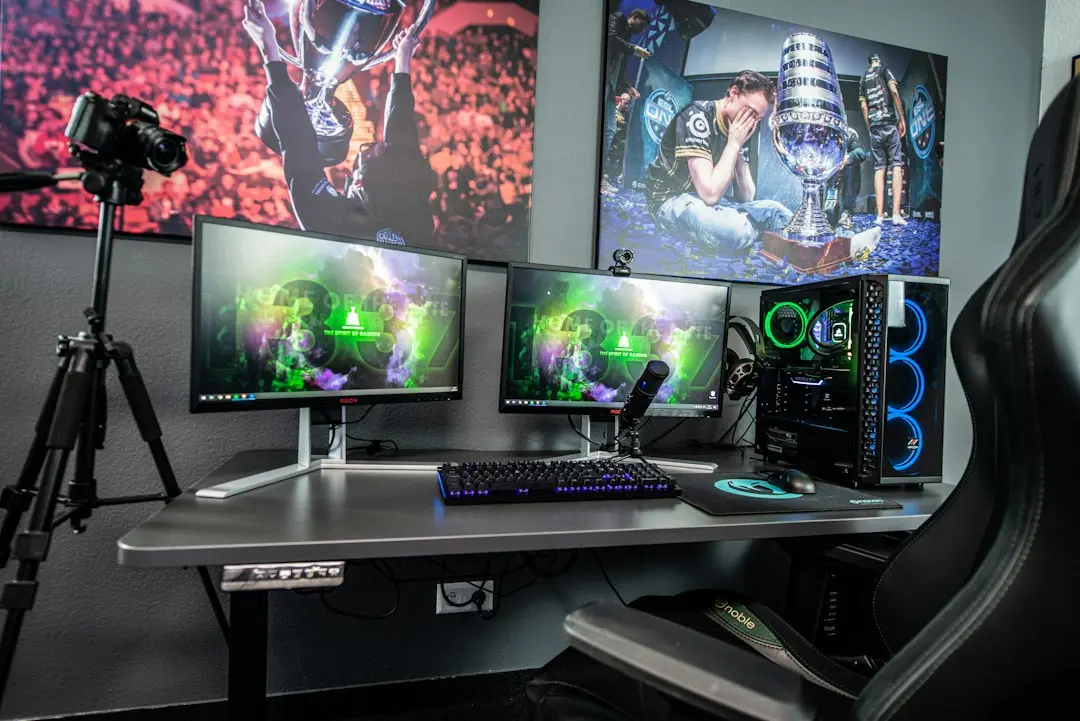
Discord without live streaming in Brazil: what changes on your server
If you organize events, build tours, or that movie session in the community voice channel, the news hit hard. The ANPD Board (National Data Protection Authority) unanimously rejected Discord's appeal and upheld the suspension of the platform's live streams in Brazil.
In practice, Go Live — that "stream" button inside the voice channel — is still down, with no date to return. And that changes the routine of anyone managing a Minecraft server with an active Discord.
Below, what is in effect now, what keeps working, and how to adapt your events and community moderation without losing momentum.
What was decided (and since when)
- The suspension of Discord live streams in Brazil has been in effect since August 12, 2026, as a preventive measure.
- On November 18, 2026, the ANPD Board ruled on the appeal filed by the company and rejected it unanimously. The decision was announced the following day, November 19.
- The reason cited by the agency is the protection of children and adolescents: according to the ANPD, Discord did not prove it had adopted enough measures to make streams safer.
- Resumption depends on the company demonstrating technical controls and receiving authorization from the agency. No deadline has been announced.
What still works
- Text messages, channels, and topics.
- Voice channels (normal conversation, no streaming).
- One-on-one voice and video calls.
- Sending files, images, emojis, polls, and bots.
- Scheduled events, roles, permissions, and AutoMod.
What is blocked
- Screen sharing and group live video inside voice channels.
- Equivalent real-time video features offered by the platform in Brazil.
In other words: the community hasn't died, but the "little movie night on Discord" and the live tour across the map need another route.
Why this matters in a Minecraft community
Go Live became a crutch for many server admins. It was the quickest way to:
- show a new build to the entire server;
- give a guided tour of a giant base or an arena under construction;
- train new moderators by showing the staff tools;
- provide "live support" for a player stuck on some technical issue;
- stream a PvP match, boat race, or parkour competition with everyone watching;
- run the end-of-season movie session.
With the feature unavailable, the event depends on another platform or on creativity with the game's own features.
Step by step: redoing your event without Go Live
- Set the stage. Choose the voice channel that will serve as narration. Those who aren't playing join it to listen to the host.
- Choose where the video will be shown. An "unlisted" YouTube video or a Twitch stream works well: the link stays private, shared only with those on Discord.
- Create a scheduled event on Discord. In the server's "Events", select "Stage or Voice" and paste the stream link in the description, along with the meetup time on the server.
- Prepare the world before opening the event. Nothing is worse than starting the tour with the sun rising in the middle of the planned scene.
- Have a plan B. Someone from the staff records the action with a screen recorder (OBS, for example) so the clips can later be posted in the videos channel.
Commands to get the world ready
A simple .mcfunction, called with /function evento in-game, handles the opening ritual:
# evento_inicio.mcfunction
gamerule doDaylightCycle false
time set 18000
weather clear
gamerule doWeatherCycle false
title @a times 20 70 20
title @a title {"text":"Tour de builds comecando!","color":"gold"}
title @a subtitle {"text":"Fique no canal de voz","color":"gray"}
And to bring everyone along on the tour, without anyone getting lost:
# tour_ponto_1.mcfunction
gamemode spectator @a
tp @a 128 78 -64
tp @a ~ ~ ~ 180 20
tellraw @a {"text":"Ponto 1: a base do spawn","color":"aqua"}
Worth remembering: in spectator mode, people can't break or place blocks, which prevents accidents in someone else's build. Leave creative or survival mode for when the event ends.
Build tour without screen sharing
Without streaming, the host needs to guide other people's cameras — not their own. It works well like this:
- Everyone enters at the same teleport point and the host narrates by voice.
- Anyone who wants to "see it up close" leaves spectator mode only when authorized.
- Use signs or billboards to identify each stop, so people who join late understand the route.
- Agree on a short duration (30 to 40 minutes). With no footage running, long events get tiring fast.
For a prettier result, put effort into the lighting and the in-game time: night with lanterns and shaders looks great in a screenshot, and screenshots become content for the whole week.
Moderation: the right moment to review safety
The ANPD decision revolves around protecting minors. If your server has a young audience (and almost every Minecraft server does), take the chance to review what you can adjust today:
- Age-restricted channels for topics and images that aren't for everyone.
- AutoMod enabled with filters for language, spam, suspicious links and mass mentions.
- Minimum roles: those who just joined don't need to send attachments or link anything.
- Reviewed permissions on voice channels, to avoid open rooms without moderation.
- Report channel with fast response and an internal support log.
- Clear rule about adult content, recordings and screenshots of third parties.
A well-moderated server attracts families and new players — and that's worth more than any "going viral".
Promotion and retention without livestreams
If streaming was the engine of your marketing, replace it with:
- Short clips of 15 to 30 seconds from the best moment of each event.
- Screenshots in the gallery channel, with credit for whoever built it.
- Polls to decide the next event (PvP arena, race, themed build).
- Short seasons with a ranking and map reset, always creating a next topic.
- Partnerships with content creators who already stream on other platforms.
Content generated by the community itself pays off more than a generic repost.
And when it comes to hosting?
A good event needs a stable server at the agreed time. If your setup is to open the world only on event days, Mine Hour's hourly hosting solves it: the server starts in less than a minute, pauses on its own when the last player leaves, and you don't pay for idle hours. You can get the world ready in advance, run the tour and shut it down afterward.
Conclusion
The suspension of Discord livestreams in Brazil doesn't end your community — but it forces you to rethink the format of your events. While Go Live is down, the way forward is to use a stream link on another platform, put effort into the guided tour inside the game, record clips and, on top of that, tidy things up in moderation.
Follow ANPD's official channels to know when (and if) the feature comes back. Until then, it's worth investing in what doesn't depend on any button: organized people, clear rules and well-planned events.
Sources
- ANPD Board of Directors rejects Discord's appeal and keeps livestreams suspended in Brazil
- ANPD Board rejects appeal and keeps Discord livestreams suspended in Brazil (G1)
- ANPD rejects Discord's appeal and keeps livestreams suspended in Brazil (O Globo)
- Discord livestreams remain suspended in Brazil (UOL Tilt)
More posts
 Building and survival games to play with friendsSeven building and survival games to play with friends: what each one does best, how many players they support, and how to keep the world online without depending on the host.
 Minecraft server to play with friends: 2026 guideStep-by-step guide to creating a Minecraft server and playing with friends: Java vs Bedrock, RAM, whitelist, invites, crossplay on mobile and common errors.
 Games to play with friends: 12 co-op and Minecraft-like optionsList of games to play with friends: online and local co-op, Minecraft-like sandboxes, and what each one does best for your group.
 Multiple worlds on the same Minecraft server: a practical guideLearn how to run lobby, parkour, minigames and adventure in separate worlds on the same Minecraft server, keeping maps, seeds and datapacks in the right place.